What changed?
- Simplified Drip Mode UI for a smoother setup experience.
- Improved “From” field validation — checks both email address and “From Name.”
- Ensured attachments and images from snippet templates are included in sent emails.
- Refined stats display — all Bulk Action Campaign metrics now appear under “Bulk Action Campaigns” in the Email Marketing Stats Dashboard.
- Added error handling during Drip schedule setup when sending limits are exceeded.
Benefits
- Easier, faster campaign setup with fewer validation issues.
- Accurate data and reliable performance tracking.
- Consistent delivery of all email assets.
- Better user experience and clearer error feedback.
Where to check?
- Create a Bulk Action Email from the Contacts page by selecting contacts and clicking “Emails.”
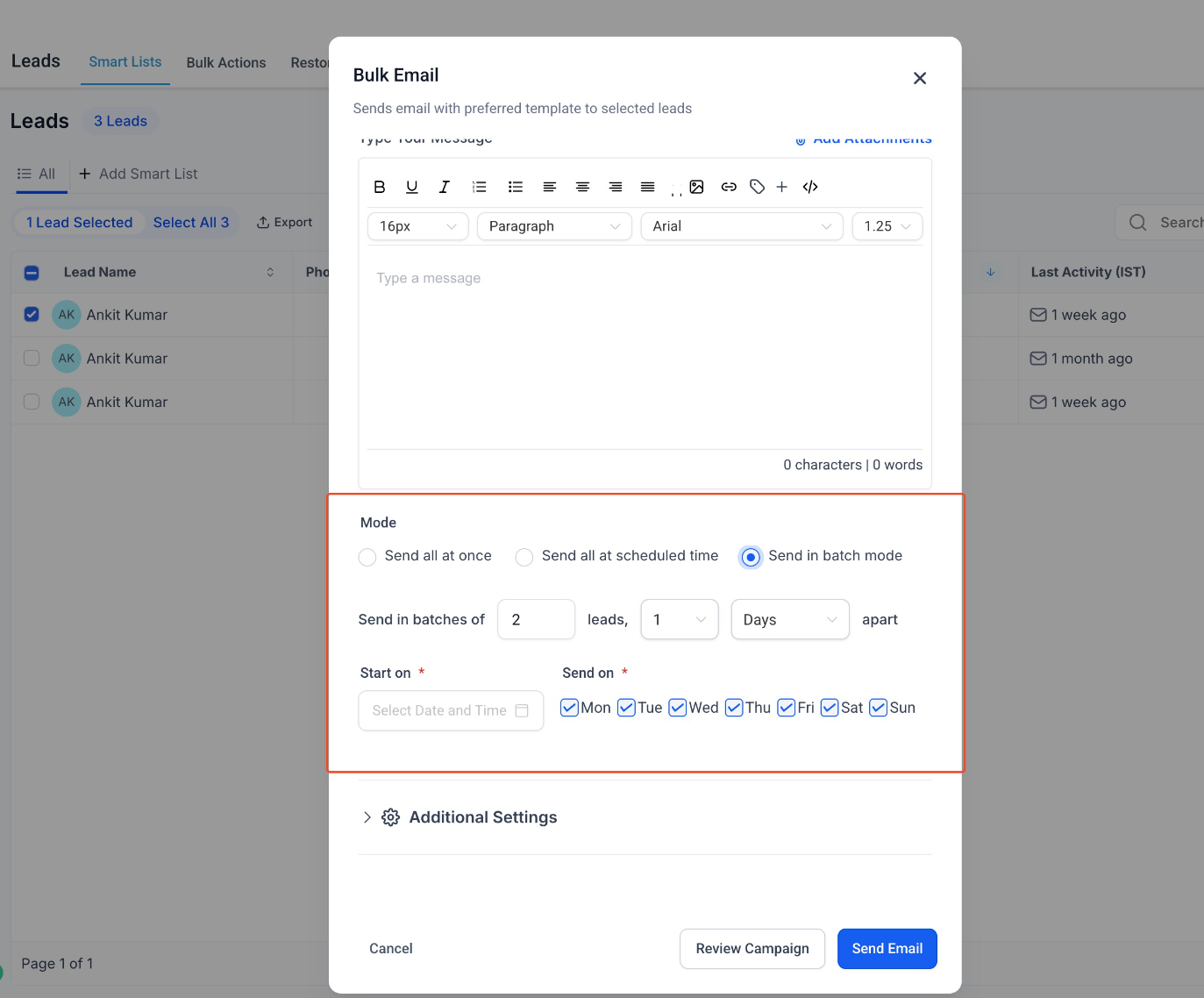
- View Stats under Marketing → Emails → Dashboard to see updated Bulk Action Campaign metrics.
Was this article helpful?
That’s Great!
Thank you for your feedback
Sorry! We couldn't be helpful
Thank you for your feedback
Feedback sent
We appreciate your effort and will try to fix the article